BlockPoster · Image Combiner
Image Combiner — Combine & Merge Images Online Free
Combine up to 20 images side by side, stack screenshots vertically, or merge photos in a grid. Free, zero-upload browser tool with PNG, JPG, WebP, and single-page PDF export.
- Free · No watermark
- Zero uploads · Works offline
- Up to 20 images · PDF ready



Drop up to 20 JPG, PNG or WebP images here.
Images: 0 / 20
How to combine images in 3 steps
- 01
Add or paste up to 20 images
Drag and drop JPG, PNG, or WebP files, browse from your device, or press Ctrl+V / ⌘V on desktop to paste a screenshot directly from your clipboard. Need to test layouts first? Load the three built-in sample photos in one click.
- 02
Choose layout, fit, spacing, and background
Switch between side-by-side, vertical stack, or a 2–5 column grid. Reorder photos by dragging cards or clicking the arrows, rotate individual shots by 90°, fine-tune spacing (0–60 px), outer margins (0–60 px), corner radius (0–48 px), and pick a transparent, solid, or custom background.
- 03
Download image, print PDF, or make a wall poster
Export lossless PNG, quality-controlled JPG or WebP (60%–100%), or a centered single-page A4 or US Letter PDF ready for your home printer. Want the merged collage printed huge across multiple sheets? Click Send to poster maker to open it directly in the Block Poster splitter.
Popular ways to combine and merge photos
Before & after comparisons
Place two renovation, fitness, photo-editing, or design drafts side by side at identical height so differences are obvious without stretching either image.
Long screenshot stitching
Stack chat threads, receipts, code snippets, or full-page mobile captures vertically in reading order with 0 px spacing and crisp lossless PNG output.
Single-page printable photo sheets
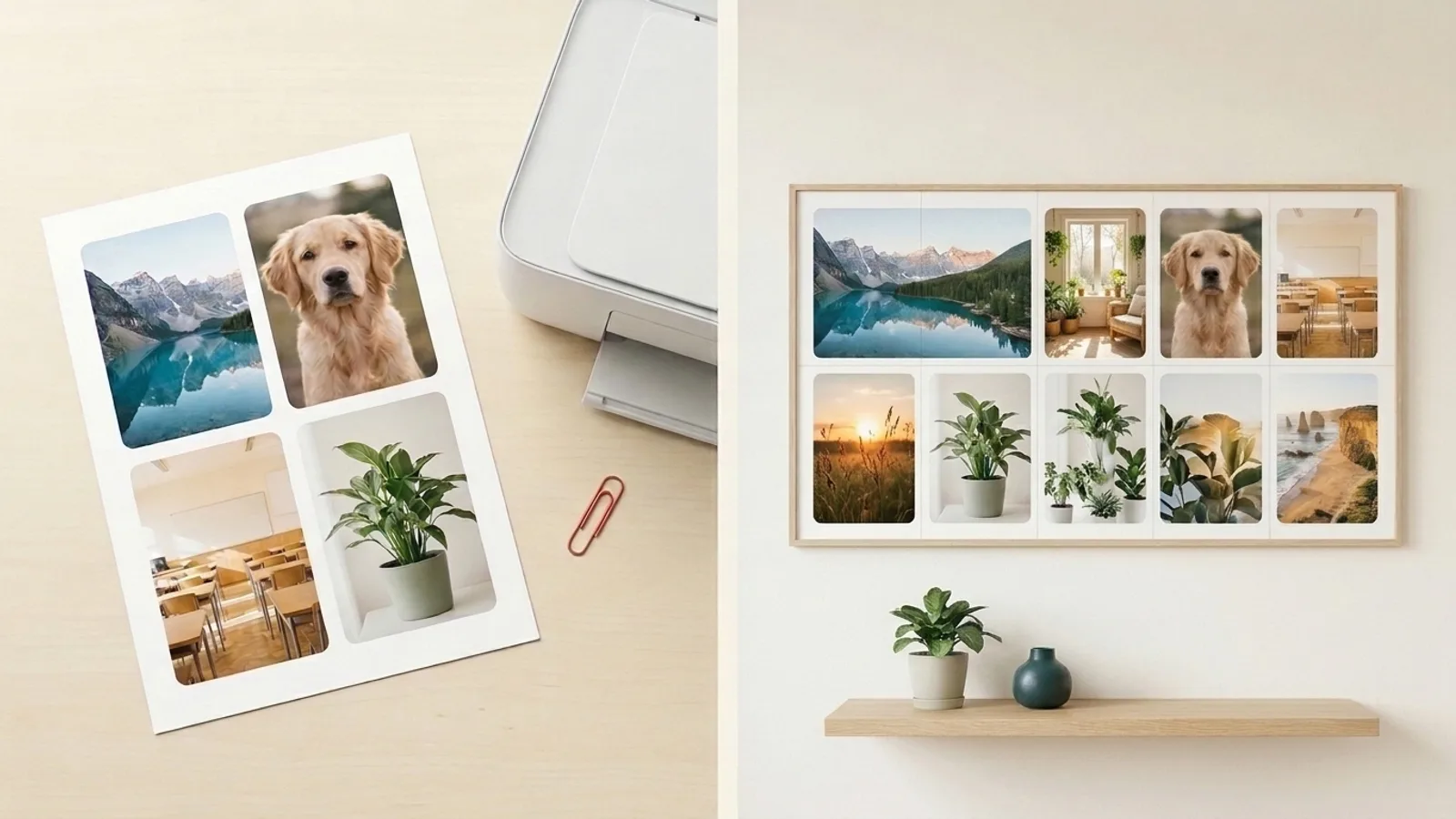
Arrange family snapshots, ID copies, or reference photos in a neat 2×2 or 3×3 grid and export directly to an A4 or US Letter PDF to save paper at home.
Product catalog & social grids
Combine multiple product angles or color variants into uniform cropped tiles with rounded corners and a clean white or warm ivory border.
Classroom handouts & worksheets
Merge diagrams, flashcards, maps, or lab illustrations onto one organized sheet so teachers can print crisp copies without opening heavy desktop software.
Multi-page wall poster preparation
Combine several favorite artworks or photos into one balanced banner first, then send the finished PNG directly to the Block Poster Maker to print across 4, 9, or 16 pages.
Technical specifications and browser limits
Unlike cloud-based photo mergers that cap uploads at 2 to 5 files, add watermarks, or store private screenshots on remote servers, blockposter.net/image-combiner/ runs the entire composition pipeline on your device via HTML5 Canvas and client-side pdf-lib. Every numeric limit below comes directly from the live browser engine so you know exactly what to expect before starting a job.
BlockPoster Image Combiner — Verified Engine Specifications
| Specification | Verified Value | Practical Detail |
|---|---|---|
| Maximum images per merge | Up to 20 files | Supports JPG, PNG, WebP, and desktop Ctrl+V / ⌘V clipboard paste |
| Layout modes | Horizontal · Vertical · Grid · Free | Auto row/stack, 2–5 column grid, or freeform drag, resize, overlap & bring-to-front |
| Image fit modes | Fit whole · Crop to fill · Original | Equal-height rows, equal-width stacks, uniform cropped cells, or native pixels |
| Spacing & outer margin | 0 – 60 px each | Independently control gaps between tiles and outer canvas border |
| Corner radius | 0 – 48 px | Smooth rounded clipping with automatic arc fallback on older browsers |
| Background options | Transparent · White · Ivory · Black · Custom | Transparent checkerboard preview for PNG/WebP; auto white composite for JPG |
| Output pixel safety limit | ≤ 16,000,000 px & ≤ 8,192 px/side | Prevents iOS Safari & mobile browser crashes via proportional auto-scaling |
| Export formats | PNG · JPG · WebP · Single-page PDF | 60–100% quality slider for JPG/WebP; auto-oriented A4 or US Letter PDF |
| Server upload / privacy | 0 bytes uploaded | 100% client-side processing; keeps working offline once the page has loaded |
Choosing the right layout and image fit mode
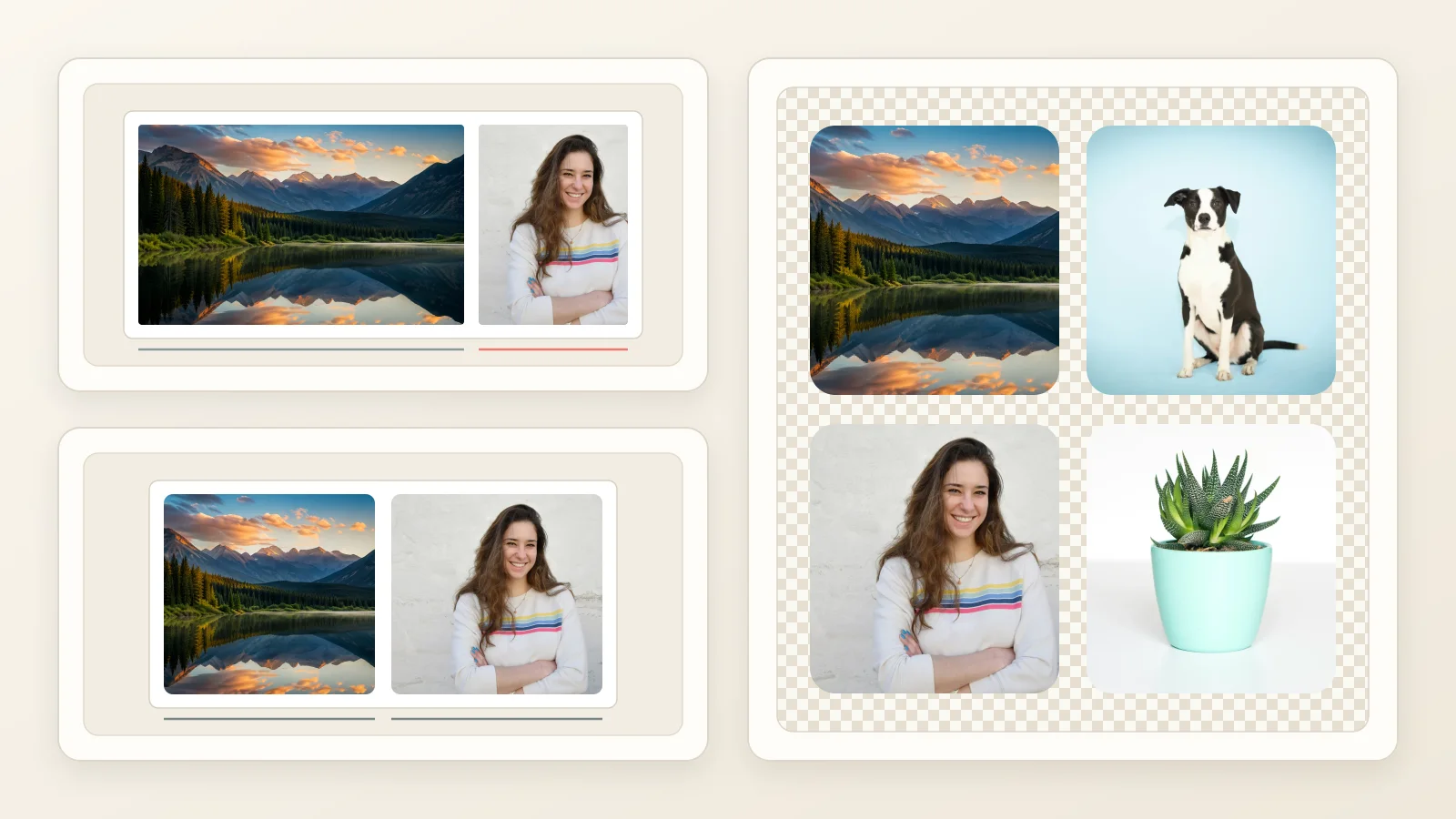
Picking the right combination of layout and fit mode is what separates a clean, publication-ready composite from stretched or awkwardly clipped photos. In Side by side mode with Fit whole image enabled, BlockPoster scales every photo to match the tallest image while preserving each file's exact aspect ratio—so a portrait shot and a landscape shot sit flush together with zero distortion. In Vertical stack mode with Fit whole image, all images match the widest width cleanly from top to bottom.
Choose Crop to fill when you want a magazine-style photo grid where every tile shares identical width and height—each photo is automatically centered and cropped smoothly inside its slot. Choose Original size whenever you are stitching crisp UI screenshots, chat logs, or technical diagrams at 1:1 native pixels so small text never gets resampled or softened.
Recommended Layout, Fit Mode & Format by Use Case
| Use Case | Layout | Fit Mode | Recommended Format |
|---|---|---|---|
| Before & after comparison | Side by side | Fit whole image | JPG (92%) or PNG |
| Long mobile / chat screenshots | Vertical stack (0 px gap) | Original size | PNG (crisp text) |
| 2×2 or 3×3 photo collage | Grid (2–3 columns) | Crop to fill | JPG (92%) or WebP |
| Transparent icons / stickers | Side by side or Grid | Fit whole image | PNG or WebP (Transparent) |
| Multiple photos on 1 print sheet | Grid (2–3 columns) | Fit whole or Crop to fill | PDF (A4 or US Letter) |
| Giant multi-page wall banner | Side by side or Grid | Fit whole image | Send to poster maker (PNG) |
| Scrapbook / picture-in-picture | Freeform canvas | Drag & corner resize | PNG or JPG (92%) |
PNG vs JPG vs WebP vs single-page print PDF
Format choice directly affects sharpness, file size, transparency, and print reliability. Export PNG whenever your composite contains crisp UI text, diagrams, line art, or transparent gaps between rounded corners. Choose JPG (with the 60%–100% quality slider, defaulting to 92%) for camera photos where smaller file sizes matter—any transparent gap automatically composites onto crisp white so you never get black artifacts. WebP gives you the best of both worlds for web publishing: transparent backgrounds plus adjustable compression.
When your goal is home printing, switch straight to PDF and pick A4 (210 × 297 mm) or US Letter (8.5 × 11 in). BlockPoster embeds the lossless composite centered on a single page with a clean 18 pt (~6.35 mm) printable margin and automatically flips between portrait and landscape to match your composition's aspect ratio. For multi-page document conversion where each photo should occupy its own full page, use our Image to PDF converter. If you want your combined artwork blown up across multiple sheets for a wall display, click Send to poster maker to open the Block Poster Maker or estimate page counts first with the Poster Size Calculator.
Export Format Comparison (Transparency, Quality & Printing)
| Format | Transparency | Compression | Best For |
|---|---|---|---|
| PNG | Full alpha preserved | Lossless | Screenshots, sharp text, icons, transparent collages |
| JPG | Composites to solid white | Lossy (60%–100% slider) | Camera photos, social uploads, email attachments |
| WebP | Full alpha preserved | Adjustable (60%–100%) | Fast websites, blogs, lightweight transparent composites |
| PDF (A4 / Letter) | White print sheet backdrop | Lossless PNG inside PDF | Printing multiple photos cleanly on one home-printer sheet |
How to verify zero-upload privacy and brand independence
Many online tools claim to be private while quietly uploading your photos to a remote server for processing. Because blockposter.net/image-combiner/ runs entirely in browser memory with zero backend upload endpoints, you can verify privacy yourself in 15 seconds:
- Open blockposter.net/image-combiner/ and let the page finish loading.
- Turn off Wi-Fi or switch your phone to Airplane Mode.
- Add your photos, adjust layout/spacing/corners, and export PNG, JPG, WebP, or PDF—the entire combine and download flow completes locally with zero internet connection.
Brand and domain clarity: BlockPoster at blockposter.net is an independent browser-first printing and image tool site and is not affiliated with similarly named websites such as blockposters.com, blockposters.org, or blockposter.app. On blockposter.net, the Image Combiner, Block Poster Maker, Image to PDF converter, and Poster Size Calculator all run 100% locally in your browser; the only feature on the site that ever uploads an image is the separate, optional Pro cloud background remover, and only when you explicitly start it.
Continue with related BlockPoster tools
Frequently asked questions about combining images
Are my images uploaded to a server, and how can I verify?
No—0 bytes are uploaded. All decoding, layout rendering, and PNG/JPG/WebP/PDF export run locally inside your browser tab. You can verify this by disconnecting your internet after the page loads and combining images offline.
How many images can I combine at once, and what formats are supported?
You can combine up to 20 images in a single composition using JPG, PNG, or WebP files. On desktop browsers you can also paste screenshots straight from your clipboard with Ctrl+V or ⌘V.
How do I put two photos side by side without stretching or cropping?
Select Side by side layout and keep Fit whole image active. The engine automatically scales both photos to the exact same height while preserving each photo's original aspect ratio, leaving zero distortion or clipped edges.
Can I keep a transparent background between combined images?
Yes. Choose the Transparent checkerboard swatch under Background and export as PNG or WebP. If you switch to JPG or single-page PDF, transparent areas automatically composite onto crisp white for clean viewing and printing.
Why did the output dimensions scale down automatically?
Mobile browsers—especially iOS Safari—enforce strict memory caps around 16.7 million pixels per canvas. To prevent silent crashes or blank exports, compositions exceeding 16,000,000 total pixels or 8,192 px on any side scale down proportionally while preserving your exact layout.
How do I print multiple pictures on one A4 or US Letter page?
Arrange your photos in a Side by side or Grid layout, select PDF in the export bar, pick A4 or US Letter, and download. The tool auto-rotates the sheet to portrait or landscape and centers the collage with a clean print margin—print at 100% / Actual Size for best results.
Can I print my combined image as a giant multi-page wall poster?
Yes. Click Send to poster maker after arranging your images. BlockPoster transfers the exact lossless PNG locally into the homepage Block Poster Maker so you can split it across 4, 9, or more A4/Letter sheets with overlap and trim guides.
Is BlockPoster (blockposter.net) the same site as blockposters.com or blockposters.org?
No. BlockPoster at blockposter.net is an independent site with zero-upload browser tools for combining images, converting images to PDF, and splitting posters across home-printer pages. It has no affiliation with blockposters.com, blockposters.org, or blockposter.app.